Major Open-Source Audio Update
Audacity 4 launches with a redesigned interface, real-time effects, and improved performance.
Anonymous
Key Points
1
Audacity 4 introduces a dedicated clip splitting tool, addressing user requests for more explicit clip-splitting capabilities.
2
Audacity 4 switches to a new project format that stores preview thumbnails and clip/appearance data, with an automatic one-way conversion from Audacity 3.x and older files to the new format (cannot be saved back to older formats).
3
Windows builds in Audacity 4 add ASIO playback and recording support, improving low-latency audio on compatible hardware.
4
Audacity 4 expands real-time effects support, moving beyond previous offline-only processing for many plug-ins to allow real-time application of effects during editing.
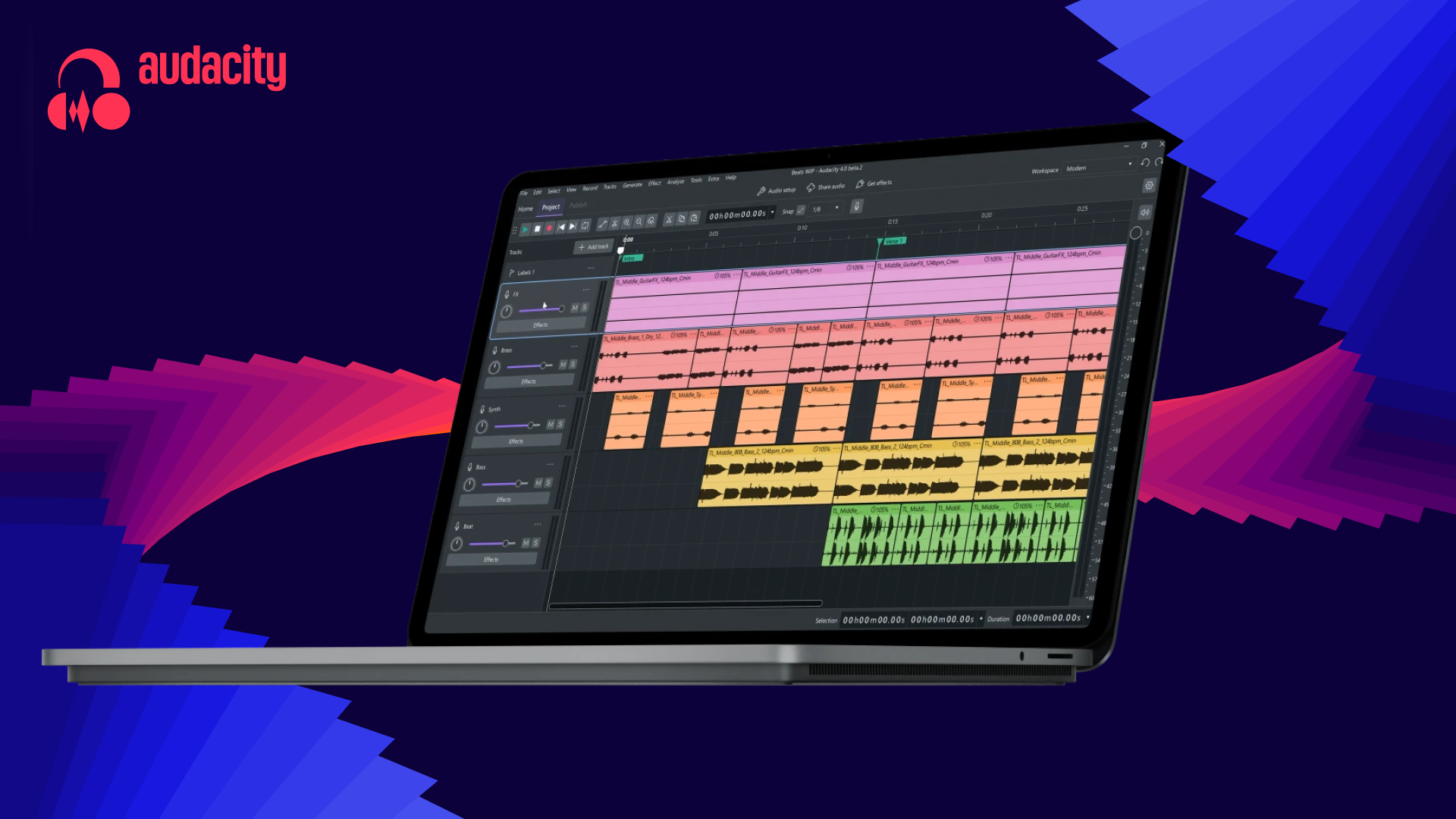
Audacity 4 represents the largest overhaul in the free audio editor's 26-year history, moving from a destructive editing model to a non-destructive workflow that lets users recover original audio. MusicRadar calls it a shift into a "new era" for the open-source tool, which has hundreds of millions of downloads. The redesigned interface runs on Qt, features dark mode and customizable layouts, and introduces clip-based editing with multi-selection, grouping, and envelope automation for volume control.
Under the hood, Audacity 4 brings a faster processing engine with better multi-core support and lower memory use — a major win for mid-range systems tackling large projects. WebProNews notes the update also expands real-time effects beyond offline processing and adds ASIO support on Windows for low-latency playback. Files automatically convert from older Audacity versions to the new format, though backwards compatibility is not available.
Non-Destructive Editing Changes How Audacity Works
The shift away from destructive editing is Audacity 4's centerpiece. Users can now apply edits without permanently altering the original audio file. The Verge explains that this workflow allows users to undo complex changes and recover a "clean" version of their audio. Clip-based editing also introduces dedicated split tools — a feature users have requested for over a decade — plus multi-clip selection and grouping for batch operations.
Volume automation arrives through clip envelopes, letting editors apply dynamic level changes across individual clips. Trimming and retiming clips becomes faster with visual feedback. This marks a fundamental departure from Audacity 3's approach but preserves most familiar workflows, so long-time users won't face a total relearning curve.
A Completely Redesigned Visual Interface
Audacity 4 scraps the old UI for a modern, Qt-based design with system theme support and HDPI scaling. YugaTech highlights the addition of dark mode, colored audio clips, and more vibrant UI accents that make the editor easier to navigate. Customizable workspace layouts let users arrange panels and tools to match their own workflows — podcasters might prioritize recording controls, while music producers can spotlight effects.
The redesign also improves accessibility across Windows, macOS, and Linux. Users can switch between pre-configured layouts or build custom ones from scratch. This flexibility addresses feedback from a diverse user base spanning hobbyists, podcasters, and professional sound engineers.
Performance Gains and a New Project Format
Audacity 4 introduces a new project format that stores preview thumbnails and clip/appearance data alongside audio, cutting the time to load and preview files. WebProNews notes that older Audacity files automatically convert to the new format — a one-way process that cannot be reversed or saved back to older versions. This ensures users can always open legacy projects without manual conversion steps.
Performance improvements span multi-core utilization, faster processing engines, and more efficient memory management. Windows users also gain ASIO playback and recording support, delivering low-latency audio on compatible hardware — a critical feature for real-time monitoring and live recording. These gains benefit creators working on large, complex projects or using older machines.
Sentiment
Mostly PositiveNEGATIVENEUTRALPOSITIVE
Publishers
13
Articles
6
Reach
19
A
AnonymousAuthor


